Intelligent Document Processing (IDP) turns any document—a clean PDF, a blurry scan, a handwritten note—into structured, validated data your automated processes can act on immediately.


Contracts, invoices, emails, handwritten notes, and more—valuable data locked in formats inaccessible to your systems.

Without automated extraction, documents get sorted, classified, and routed by hand—slowly and differently each time, depending on who's doing it.

Critical information locked inside forms, photos, and unstructured files that can't move until someone extracts it manually.
We don't just extract data from any source; we feed it directly into your workflows and make it a part of a perfectly orchestrated automation system.

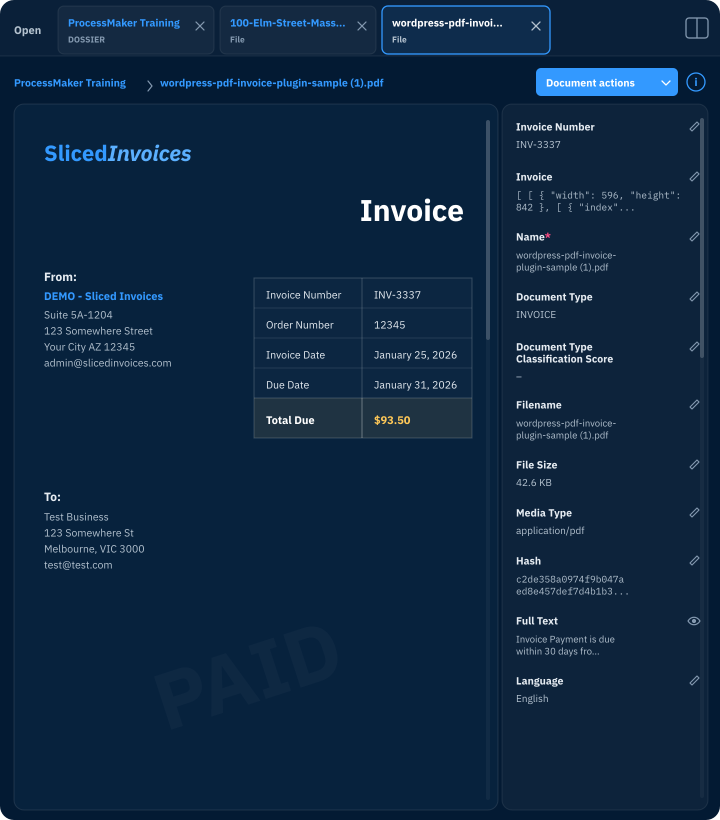
Any Document, Any Format. From a clean PDF to a blurry scanned report to a handwritten Post-it, the platform reads it all—capturing structured, semi-structured, and unstructured content.


“Because Decisions is a visual designer, it's easier to visualize changes, have confidence in them, and unit test individual components. Decisions' support has been extremely responsive and pleasurable to work with.”
Mid-market company

Recognized by Gartner ® in 2026. Decisions named in Critical Capabilities for Decision Intelligence Platforms report.*

Structured forms, semi-structured invoices, unstructured emails, handwritten notes, scanned images—no document type is off limits.

Define exactly what gets pulled, from which context, and in what format. No black-box outputs.

Apply your unique business rules to extracted data the moment it’s captured. Only clean, confirmed data drives your workflows.



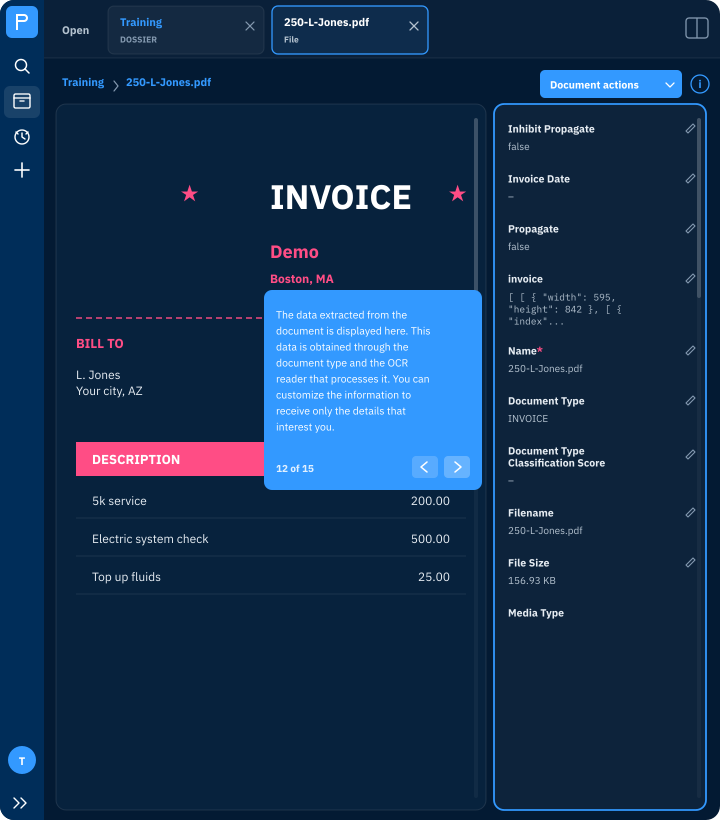
IDP uses a combination of Optical Character Recognition (OCR) and AI to automatically extract, classify, and structure data from documents like PDFs, scanned forms, and images. Instead of a person reading and re-entering document data, the platform does it automatically and feeds the output directly into your workflows.
OCR converts image-based or scanned text into machine-readable digital text—it's the foundation for digitizing physical or image documents. AI extraction goes further: it uses large language models to understand the meaning and context of the content, extract specific fields by intent rather than position, and handle documents with varied or inconsistent layouts. Both methods are used together on the platform to offer the best experience.

From a single intake form to thousands of incoming claims, the platform handles data extraction, while automated rules handle the rest.
*Gartner does not endorse any specific vendor, product, or service mentioned in its research publications. It does not recommend that technology users exclusively choose vendors with the highest ratings or other distinctions. Gartner’s research publications reflect the opinions of its research team and should not be interpreted as factual statements. Gartner disclaims all warranties, express or implied, related to this research, including warranties of merchantability or fitness for a particular purpose. Gartner is a registered trademark and service mark of Gartner, Inc. and its affiliates, both in the United States and internationally. Magic Quadrant is a registered trademark of Gartner, Inc. and/or its affiliates, used herein with permission. All rights reserved.

When humans handle extraction, there's no record of what was read, what was missed, or what drove decisions and actions.

Manual reviews of high-volume operations create bottlenecks in your workflows. As backlogs build, processes slow down.

Manual data extraction and entry into disparate systems are error-prone, slowing down work and causing re-work.

Extracted data flows directly into your automated processes, no integrations required.

Process dozens or tens of thousands of documents with the same accuracy and governance, regardless of volume.

Every extraction, every decision, every action is logged automatically. Know what was read, when, and what it triggered—at any time.
PDFs, scanned documents, images, and any file format containing text-based content. This includes structured documents like forms and applications, semi-structured documents like invoices and receipts, and unstructured documents like contracts, correspondence, and reports.
Yes. IDP is embedded within the same platform as your workflows and integrations. Extracted data flows directly into your automated processes—and from there into your existing systems, databases, and downstream applications via standard connectors and APIs.
Yes. When extraction confidence falls below a defined threshold, or when business rules flag an exception, the document can be automatically routed for human review—maintaining accuracy without making every document a manual task.