Decisions
  • Customers
  • Pricing
Decisions Logo

Intelligent process orchestration for complex enterprise operations.

  • G2 Leader — Winter 2026
  • G2 Users Love Us

Platform

  • Platform Overview
  • Agentic Orchestration
  • Rules Engine
  • Process Automation
  • Workflow
  • Integrations

Solutions

  • Financial Services
  • Insurance

© 2026 Decisions

  • Privacy policy
  • Terms of use
  • Security
  • Higher Education
  • Manufacturing
  • Healthcare
  • Public Sector
  • Resources

    • Resource Library
    • Blog
    • Documentation
    • Professional Services
    • Customer Stories

    Company

    • About
    • Careers
    • Partners
    • Contact
    • Request a Demo

    Orchestrate and govern every workflow.

    Build workflows that connect processes, systems, rules, and AI agents—so work gets done more efficiently, exceptions stay controlled, and every action is easier to change and audit.

    Decisions workflows

    Manual or poorly automated workflows result in delays, errors, and risks.

    Complexity

    Disconnected work

    Work moves across tools, inboxes, spreadsheets, and portals with no single place to manage it.

    Pencil

    Hard-coded logic

    Rules and decisions are buried in workflows or custom code, making every change slower than it should be.

    Manual handoff

    Manual handoffs

    Teams lose time routing requests, chasing approvals, and rekeying data between systems.

    Keep complex workflows on track.

    Work rarely follows a straight line. Decisions helps workflows adapt to changing conditions and keep every step guided by the right rules.

    Less manual work

    Build workflows

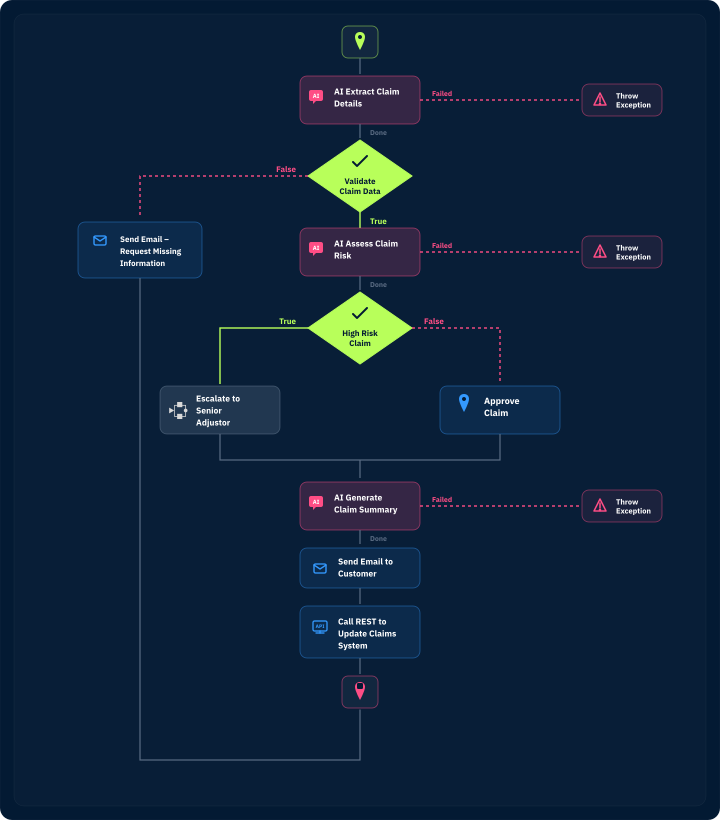
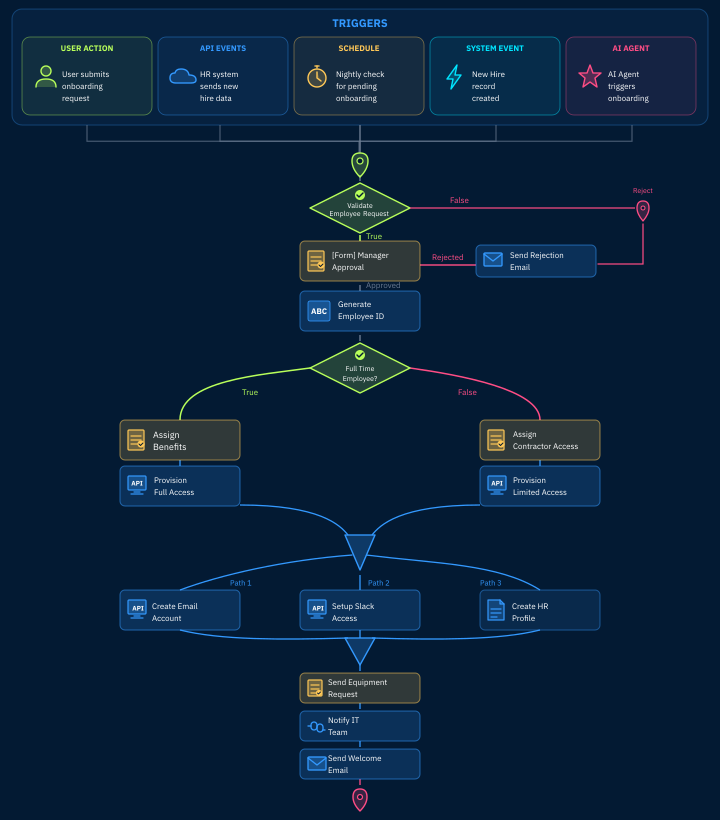
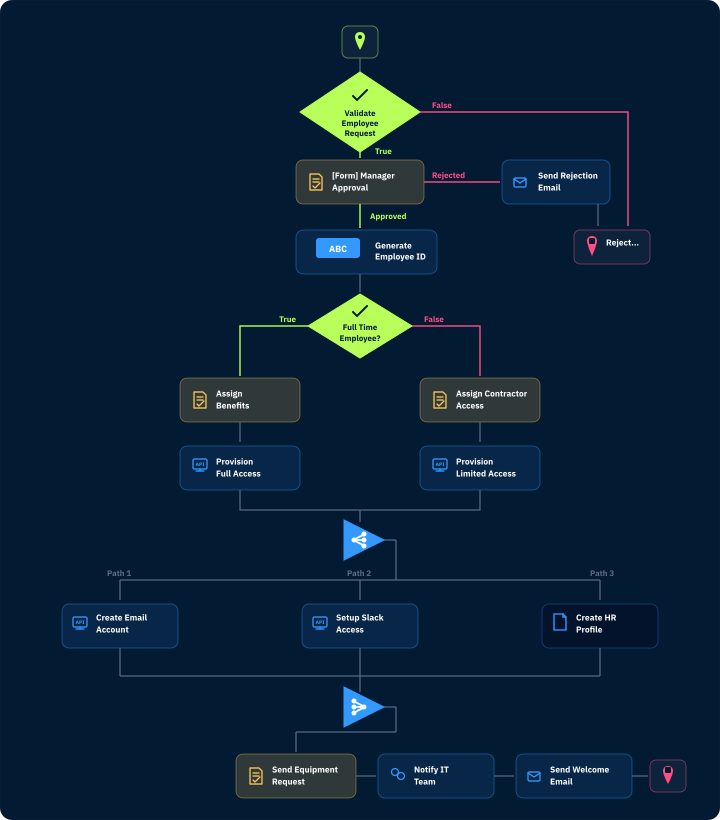
    Design workflows as a sequence of steps that reflect how work actually gets done—from start to finish.

    Connected systems

    Guide every path

    Use rules to control routing, approvals, exceptions, and what happens next.

    Workflows that move work forward faster.

    Build workflows from scratch without code—or accelerate design with thousands of prebuilt actions and interactions.
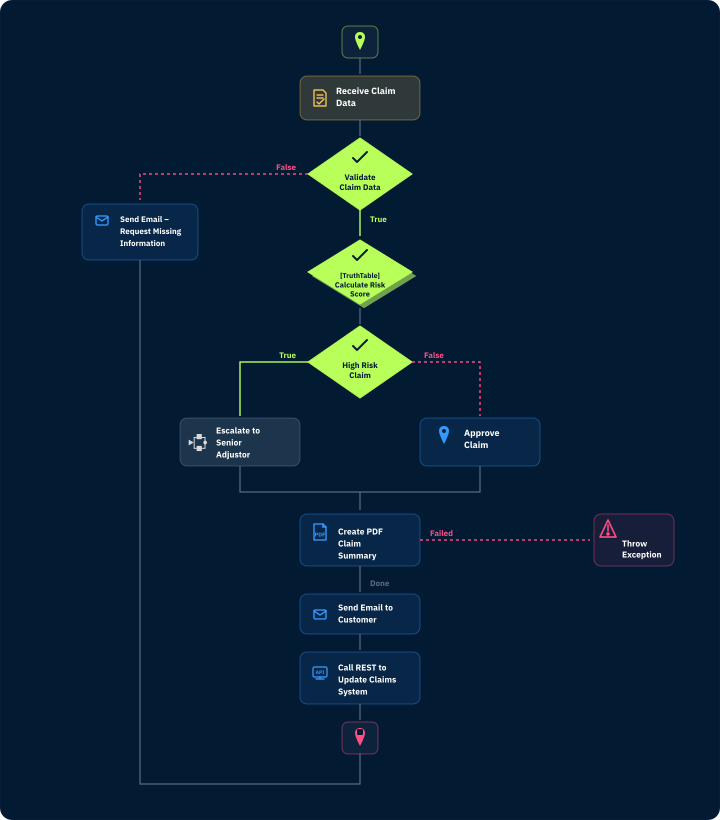
    Visual workflow builder illustration
    Rules and decisions illustration
    AI-assisted workflow illustration
    Workflow orchestration illustration
    screen ui
    Steps
    Build with Visual StepsDesign workflows without code as step-based flows that define how work moves from start to finish.
    Contained Square
    Apply Rules and Decisions
    Lightbulb Tick
    Add AI Where It Creates Value
    Right Connection Arrow
    Trigger and Orchestrate Work
    Workflow automation
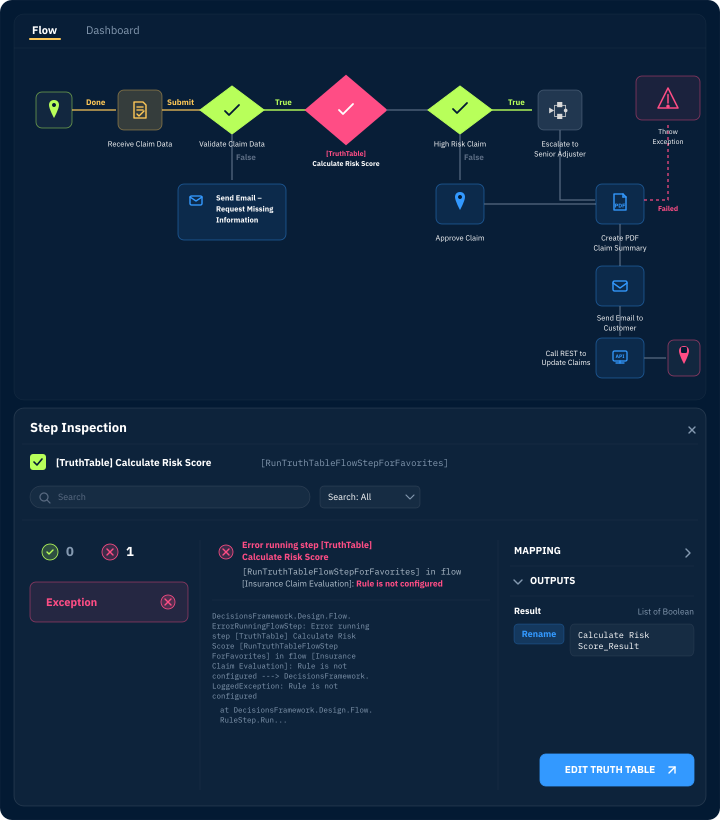
    Test, Debug, and Adapt 

    Trusted by organizations solving dynamic problems.

    “Decisions enables us to deliver completely visual workflow and business rules process management solutions for any business.”

    Matthew D.
    Decisions customer at work

    Smarter intake using Form Designer.

    Use Decisions Form Designer to build forms that capture the right information at the point of entry and connect directly to the workflows that route, process, and act on it—so every submission kicks off a structured, automated process.
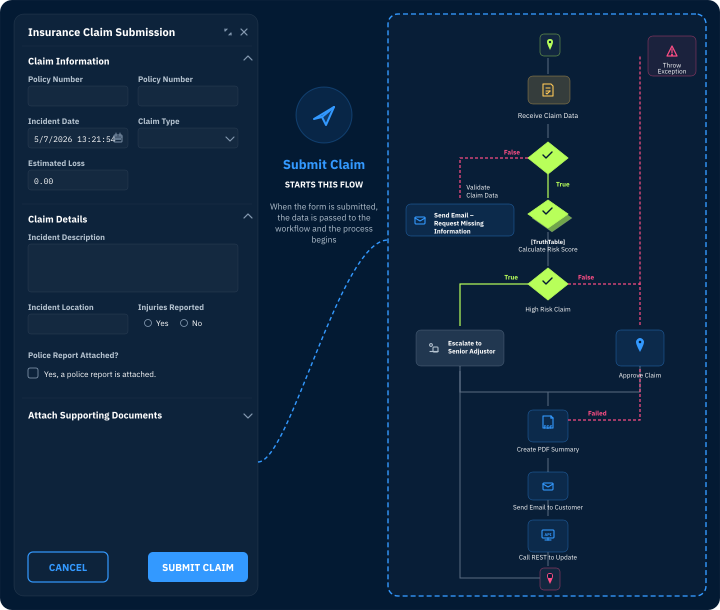
    Decisions Form Designer dark-blue dot-grid pattern

    Why Decisions for workflows?

    Multi Boxes

    Visual design and reusable building blocks

    Build, change, and scale workflows faster using visual tools, reusable steps, integrations, and rules.

    Vertical Connections

    Workflows guided by rules, not hidden code

    Control routing, approvals, exceptions, and outcomes with rules that are easier to update, govern, and audit.

    Built for complex environments

    Built-in orchestration

    Coordinate tasks, systems, data, and agents across end-to-end work.

    Decisions handles hundreds of diverse use cases. If you imagine it, Decisions can build it.

    • Insurance
    • Higher Education
    • Telecom
    Insurance workflow use case imageryHigher education workflow use case imageryTelecom workflow use case imagery
    Simplifying Client Billing OperationsCentralize workflows, simplify fee calculations, and optimize performance for billing.Learn More
    View a Collection of Use Cases

    Questions?
    We’ve got answers.

    What types of workflows can I build in Decisions?+−

    You can build approvals, requests, case workflows, onboarding workflows, exception handling, system orchestration, and industry-specific workflows.

    How does Decisions make workflows easier to change?+−

    Decisions uses visual workflow design and reusable rules, so teams can update logic, routing, approvals, and steps without digging through custom code.

    How does Decisions support workflow orchestration?+−

    Decisions coordinates work across people, systems, data, rules, and AI agents so every step is connected, governed, and visible.

    Decisions Logomark

    Better, streamlined workflows start here. 

    Design, orchestrate, and improve workflows with rules, AI, and process intelligence built in—so work moves faster and stays easier to control.

    Zero visibility

    Limited visibility

    Leaders can't easily see where work stands, why it stalled, or what needs attention.

    Sprawl

    Ungoverned agents

    As AI agents enter workflows, organizations need control over what they can do, when, and why.

    Files

    Exception overload

    When processes break or fall outside standard rules, teams rely on manual workarounds that slow resolution and increase risk.

    Right Connection

    Adapt workflows

    Enable business users to update logic and flow paths without slowing work in progress.

    Workflow Orchestraion

    Governed agent actions

    Let agents participate in workflows without giving up oversight, approvals, or auditability.

    Control over visibility

    Process intelligence and visibility

    Track workflows in real time, analyze performance, identify bottlenecks, and continuously improve how work gets done.

    Diagonal Connections

    Connected workflows without brittle workarounds

    Link systems, data, APIs, and AI services into workflows that are easier to change, monitor, and scale.

    Can AI agents participate in workflows?+−

    Yes. Decisions can orchestrate agent actions within governed workflows, using rules, approvals, audit trails, and controls to manage what agents can do.

    How is Decisions different from a basic workflow tool?+−

    Basic workflow tools route tasks. Decisions combines workflow automation, rules, integrations, orchestration, governance, and agent coordination in one platform.